Evening viewing
You turn it up. Then back down. Again.
Evaluate automatic assistance against the loud passages and quieter scenes that make you reach for the remote.
Home audio / Built in Ohio
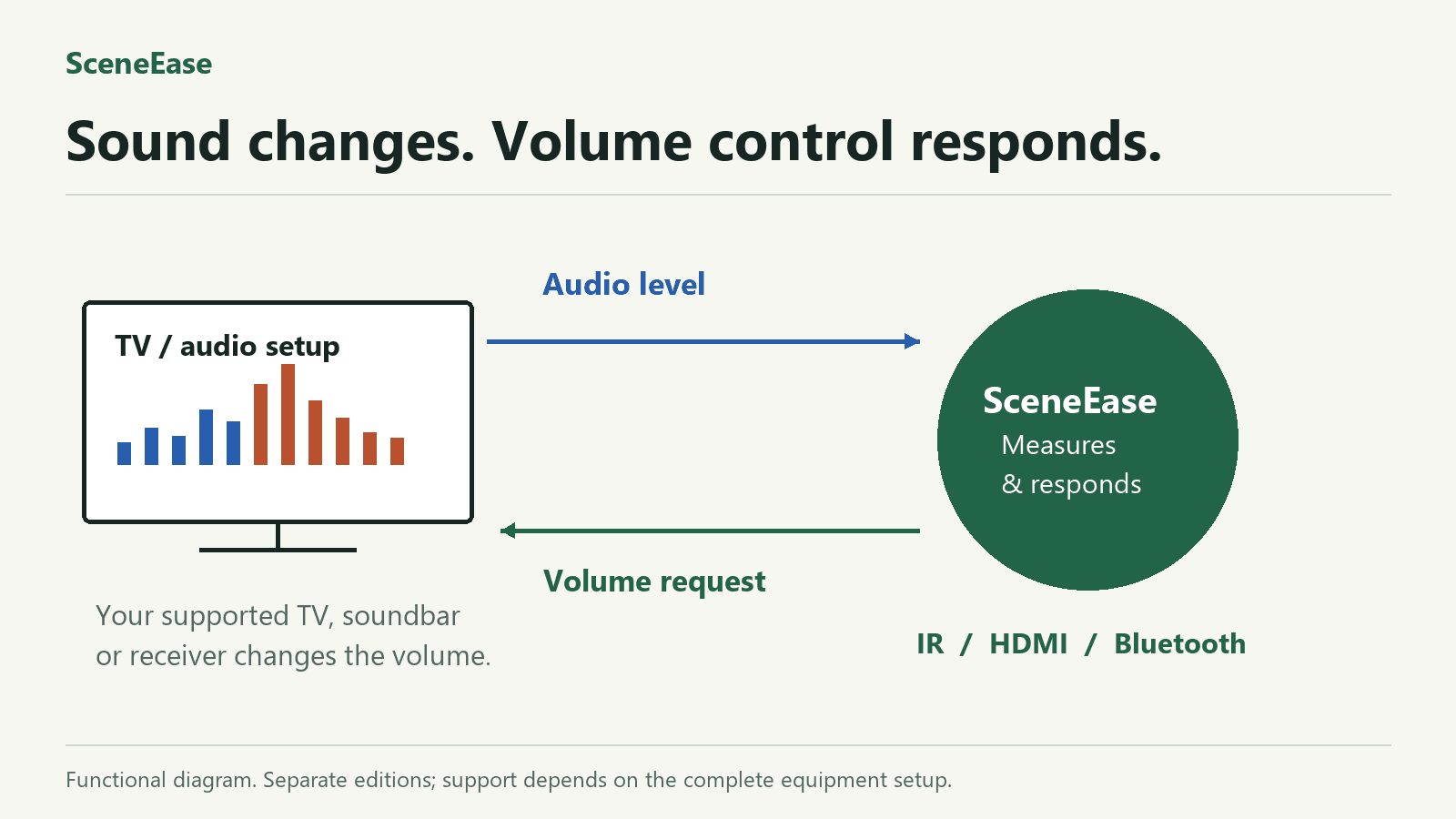
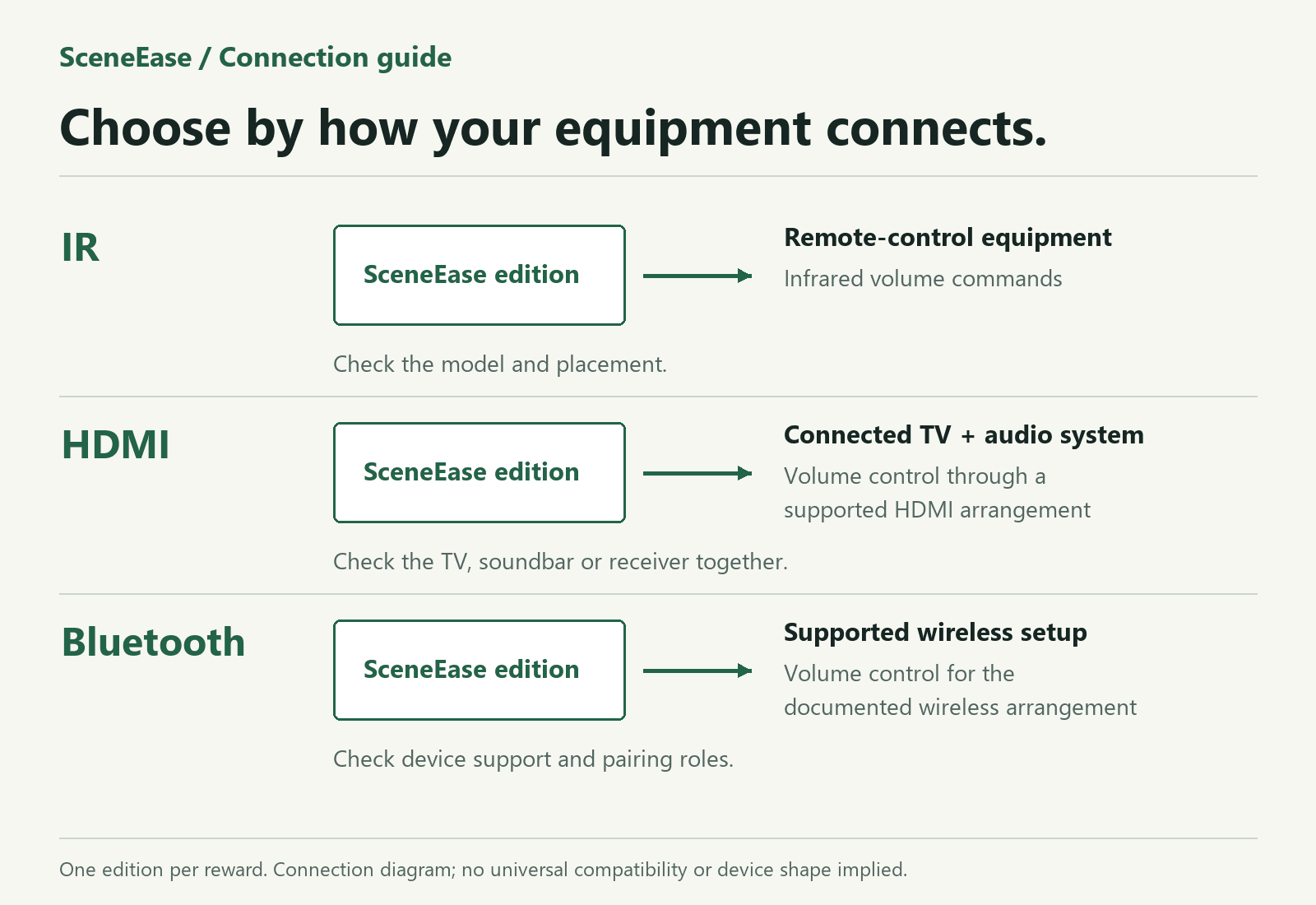
Quiet dialogue. A loud scene. Another reach for the remote. SceneEase is a family of automatic volume-assistance devices designed to make listening more comfortable, with IR, HDMI and Bluetooth versions for different equipment setups.
For viewers managing changing sound levels, shared households and people who want fewer volume-button interruptions.
For compatible equipment controlled by infrared volume commands. The fit review checks device support and placement.
Illustrated goal: respond to a loud passage with a volume adjustment on supported equipment. Actual response is demonstrated for the chosen version and equipment. Versions are separate options.
Built around your problem
Evening viewing
Evaluate automatic assistance against the loud passages and quieter scenes that make you reach for the remote.
Shared households
Explore more manageable listening levels with your actual speakers and room setup, with manual control included in the evaluation.
Different equipment
Compare IR, HDMI and Bluetooth options. Get a recommendation based on your equipment rather than assuming one connection works everywhere.
01 / What you get
The aim is to respond to changing audio levels so you do not have to manage every loud passage yourself. Compare the assisted experience using the content you actually watch.
IR, HDMI and Bluetooth versions address different equipment setups. Match the version to your devices and their controls; the options are not a promise that every connection is included in one unit.
A fit review checks the complete listening arrangement, including your TV, speakers, soundbar or receiver. You get a recommendation for the exact combination evaluated.
02 / The evaluation
See the working product in a private demonstration, confirm the result you need, and discuss supply or a manufacturing partnership.
Share your equipment and the listening problem.
Match it to an IR, HDMI or Bluetooth version.
Compare loud passages, quieter scenes and manual control.
Confirm supported equipment, kit contents and next steps.
Make the demonstration useful
Match your equipment to an IR, HDMI or Bluetooth version. Evaluate the exact model, connection, accessories and listening arrangement being offered.
Discuss this evaluation →The final scope is agreed for your setup. A useful starting point includes:
Test the chosen version with the equipment, pairing or control arrangement being offered.
Count remote volume adjustments over the same representative content with and without assistance.
Confirm the measurement source and observe loud passages, silence and changes between content sources.
Check manual volume changes, quiet scenes and recovery after restarting the TV.
Manufacturing, funding, licensing and distribution discussions are also welcome. Start with your role and proposed contribution; review the details privately with Dakota.
Discuss a partnership →03 / Work with the builder
Tell me what you need to learn. I’ll review the fit and help define a useful evaluation.
Working prototypes are available for evaluation. Offered versions, kit contents, price and delivery are confirmed before payment.

04 / Before you decide
The SceneEase family includes IR, HDMI and Bluetooth versions. The specific version offered, supported models, required accessories and pairing or connection instructions are confirmed in the fit review.
Compatibility is specific to the version and complete equipment arrangement. A supported IR command, HDMI connection or Bluetooth device does not imply universal support.
It responds to sound levels. Ad recognition, speech isolation and soundtrack remixing are not claimed.
The connection method, power requirements, accessories and supported equipment are stated for the offered version before an order. IR, HDMI and Bluetooth are separate options, not an assumed all-in-one kit.
Privacy behavior is confirmed for the exact version and equipment offered. Request those details with your compatibility review.
Start with the problem you need to solve.
Find my connection option ↗